Decode Today News delivers breaking news on AI, tech, business, politics, and world events — updated daily.
breaking news, AI news, technology news, India news, world news, business news #decodetodaynews
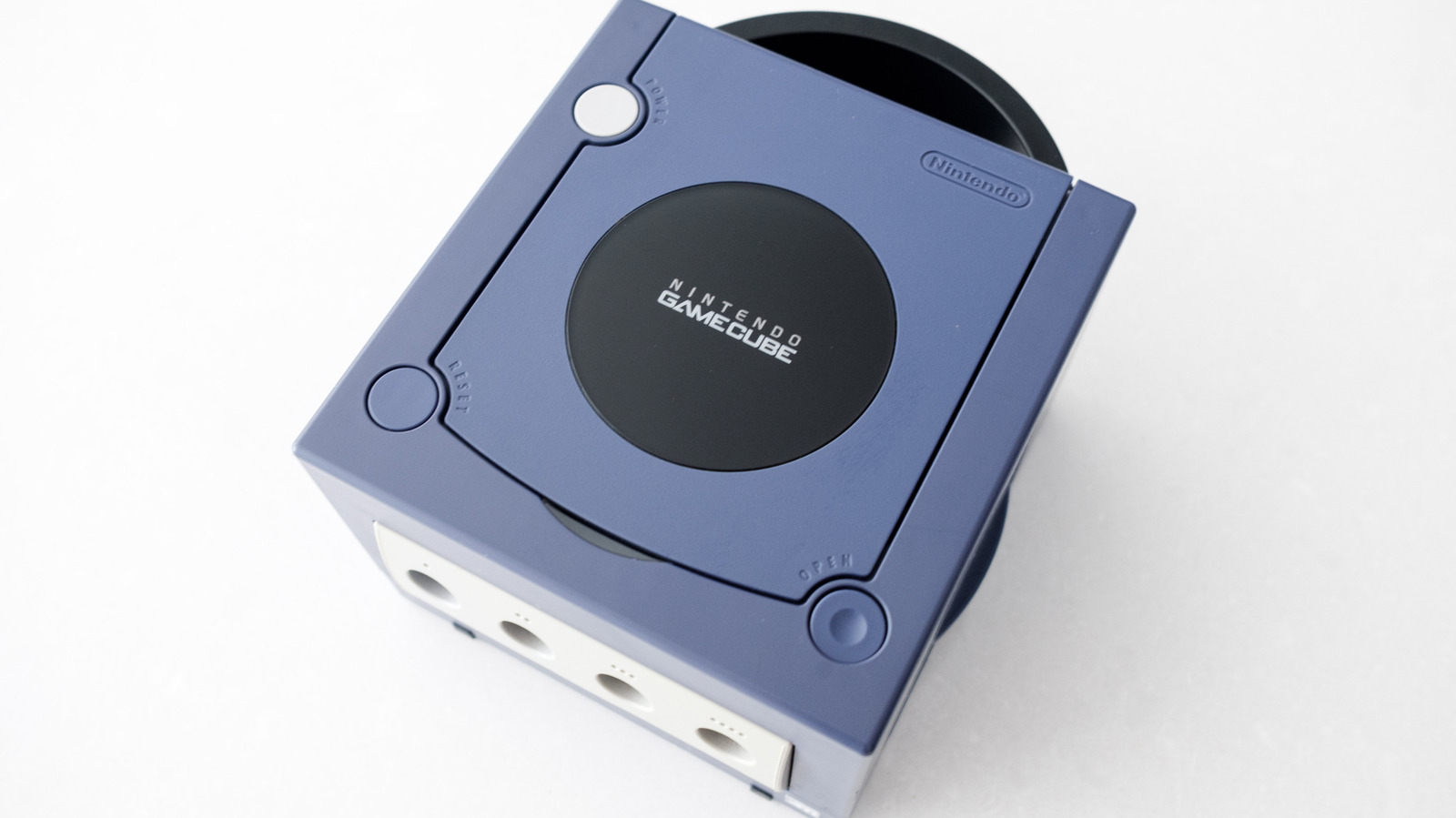
The Nintendo GameCube, Nintendo's sixth-generation console, is nearing its 25th anniversary, prompting a renewed surge in consumer demand to revisit classic titles like The Legend of Zelda: The Wind Waker and Metroid Prime. Launched in Japan on September 14, 2001, and discontinued in early 2007, the console, despite being less popular than the PlayStation 2, boasts a catalog of games, including versions of Resident Evil 4, that are widely considered superior. However, integrating this retro hardware with contemporary LCD and OLED TVs presents a challenge, as the GameCube was designed for analog CRT TVs, which most modern televisions no longer support through traditional inputs. This guide outlines the essential steps to bridge this generational gap, enabling you to connect your classic console to a modern display without extensive modifications.
Identifying Your GameCube Model for Modern Connectivity
By Decode Today News
How to connect your retro GameCube to a modern TV Technology
Not all GameCube consoles offer the same ease of connection to modern displays. Nintendo implemented a significant hardware revision during the console's production run, primarily to reduce manufacturing costs. This revision impacts connectivity options.
Understanding the Mechanics of How connect your retro GameCube
Ideally, players should seek out a DOL-001 model GameCube. This variant is equipped with a crucial Digital AV Out port, which significantly simplifies the process of connecting to modern televisions. Conversely, the later DOL-101 variant lacks this port, making the process considerably more complex.
Originally, the Digital AV Out port in NTSC regions (such as the US) was designed to output a 480p signal via component video cables sold separately by Nintendo. In 2026, specialized adapters leverage this very port to convert the GameCube's signal to HDMI, a standard widely adopted by modern televisions for high-definition digital transmission.
To verify your GameCube model, simply inspect the back of the console. If it features two audio-video ports, with one explicitly labeled "Digital AV Out," you own a DOL-001 model. An alternative method involves flipping the console over and checking the label on the bottom; if it states "DOL-001" near the top, you have the preferred variant.
Seamless HDMI Connectivity for DOL-001 GameCubes
For owners of the DOL-001 GameCube, connecting to an LCD or OLED TV is straightforward, primarily requiring a dedicated HDMI adapter. While numerous affordable options exist online, industry experts often recommend investing in higher-quality adapters for optimal performance and longevity, citing the importance of reliable digital signal conversion.
Recommended HDMI Adapters
A standout recommendation is the Retro-Bit Prism HD Adapter. Retro-Bit is known for producing high-quality retro gaming accessories, and their GameCube adapter is no exception. Most GameCube HDMI adapters rely on open-source software known as GC Video. The Retro-Bit unit distinguishes itself by including a USB-C port, facilitating easy software updates without requiring the user to disassemble the device, thus improving the product's long-term compliance security with evolving display technologies.
Other reputable options include the Carby from Insurrection Industries or, for those seeking a more budget-friendly alternative without significant compromise on basic functionality, offerings from Bitfunx. Depending on the chosen dongle, you may need to acquire a separate HDMI cable if you don't already have a spare.
Once an adapter is procured, the setup involves plugging it directly into your GameCube's Digital AV Out port. Subsequently, an HDMI cable connects the adapter to an available HDMI input on your television. The recommended adapters, including the Retro-Bit Prism HD, Carby, and Bitfunx options, typically include a remote control. This peripheral allows users to access the GC Video's on-screen menu, providing granular control over settings such as output resolution, which is crucial for maximizing visual fidelity on modern screens.
Optimizing Image Quality and Progressive Scan
To achieve the best possible image quality from your GameCube on a modern display, consider leveraging its progressive scan capabilities. You can consult specialized webpages to identify games that natively support 480p output.
If a game supports this feature, insert it into your console and, as the game boots, hold down the B button on your controller. A dialogue will appear, asking "Enable progressive scan display?" Selecting "Yes" will activate progressive scan, providing a noticeably sharper image quality. Furthermore, some games offer native widescreen output, which can typically be enabled directly within the game's internal settings menu. These features are vital for enhancing the consumer experience when revisiting retro titles.
If your GameCube is a DOL-101 model and therefore lacks the Digital AV Out port, the approach shifts to converting its analog signal to a digital format suitable for modern TVs.
Your primary solution here is a device like the RetroTINK-2X Mini. This converter is designed to take the composite cables that originally came with your GameCube, convert that analog signal to digital, and then output it via an HDMI cable to your television. While RetroTINK also produces more advanced devices capable of upscaling the GameCube's signal, these typically come at a higher price point and are generally considered worthwhile only for serious collectors with extensive retro console libraries, given the associated cost efficiency considerations.
Emulation: A Modern Pathway to Retro Gaming
For those who find the hardware adapter route cumbersome, or simply seek additional features and convenience, emulation offers a robust alternative to enjoy GameCube games on modern TVs. This method harnesses contemporary AI infrastructure and software advancements to replicate the console's environment.
Nintendo Switch Online Expansion Pack
If you own a Switch 2, Nintendo provides a selection of emulated GameCube games through its Nintendo Switch Online service. Access to the GameCube library requires a subscription to the $50 per year Expansion Pack tier. As of August 2026, this service offers nine GameCube games, with two additional titles announced to be on the way.
The Switch 2 offers several advantages:
Games are output at 900p, providing a sharper image on modern televisions than original hardware.
Multiplayer titles, such as F-Zero GX, support online play for up to four players, enhancing the multiplayer experience.
The service includes robust support for controller remapping, allowing for personalized input configurations.
While the selection is currently limited, the Switch 2 platform presents an accessible and high-quality method for experiencing some of the GameCube's best titles, leveraging a contemporary console's capabilities.
PC and Laptop Emulation with Dolphin
Another highly versatile option for playing your GameCube game library involves connecting a PC or laptop to your TV and utilizing an emulator. The Dolphin emulator, which has been in development for over two decades, is a popular choice due to its stability, wide compatibility, and feature set.
Dolphin is a free application that significantly enhances the experience of playing older games through features such as:
Resolution scaling, which can dramatically improve visual clarity on high-definition displays.
Custom save states, offering greater flexibility in game progression management than original hardware.
The emulator is remarkably efficient, capable of running virtually any GameCube game on most Windows or Mac machines manufactured within the last decade. While advanced graphical options may require slightly more computing power, the base emulation experience demonstrates excellent cost efficiency as it typically leverages existing computational resources without requiring specialized gaming hardware. This flexibility makes PC emulation an attractive option for a wide range of users looking for enhanced retro gaming experiences.
Decode Today News delivers breaking news on AI, tech, business, politics, and world events — updated daily.
breaking news, AI news, technology news, India news, world news, business news #decodetodaynews