Decode Today News delivers breaking news on AI, tech, business, politics, and world events — updated daily.
breaking news, AI news, technology news, India news, world news, business news #decodetodaynews
OpenAI has rolled out a significantly enhanced Voice Mode for ChatGPT, powered by the new **GPT-Live** model, delivering more natural and responsive conversational AI across its mobile apps and web interface. This advancement marks a major step in making interactions with the **AI model** feel less artificial, moving beyond previous turn-based systems. The company stated this latest iteration aims to overcome common frustrations experienced with earlier voice assistants, making voice conversations with the artificial intelligence feel strikingly similar to human interaction.
The evolution of AI assistants, including ChatGPT, has seen a steady progression, with each new model offering expanded capabilities, improved accuracy, and faster response times. While generative AI is not an infallible source of information, its utility for users has expanded significantly, particularly with features that enhance convenience. Voice conversations represent a key area of improvement for many users who prefer speaking over typing.
Understanding the Mechanics of GPT-Live
By Decode Today News
How to use ChatGPT's new, more natural Voice Mode for conversations Technology
The original Voice Mode for ChatGPT, introduced in 2023, operated on a multi-stage system. It would first transcribe spoken input into text, then use a language model to generate a textual response, and finally employ a text-to-speech model to vocalize the reply. This sequential process often led to noticeable delays and an unnatural conversational flow. An Advanced Voice Mode followed, consolidating these functions into a single multimodal model, which improved the experience considerably.
The new **GPT-Live** model fundamentally redefines this interaction. OpenAI describes its architecture as "full-duplex," a critical innovation that allows the AI to listen and speak concurrently. This technological leap addresses a significant prior complaint where the AI might misinterpret a brief pause as the end of a user's turn and begin responding prematurely. Now, during a conversation, users will occasionally hear ChatGPT emit short acknowledgements, such as "mhmm" or "yeah," mimicking human conversational cues and further enhancing the natural feel of the interaction. This real-time processing ability is a testament to significant advancements in **AI infrastructure**.
A key aspect of **GPT-Live**'s sophistication is its capacity to delegate more intricate tasks to other powerful models operating in the background, such as **GPT-5.5**, when a query demands deeper reasoning or extensive research. This seamless offloading ensures that while the voice interaction remains fluid and responsive, the underlying intelligence can tap into more robust capabilities for complex problem-solving, maintaining a high level of performance without perceptible delays to the user.
Availability and Access
The **GPT-Live** voice model is accessible through the **ChatGPT app** on both **Android** and **iOS** devices, as well as via the web through any compatible browser. Users subscribed to paid plans – **ChatGPT Pro**, **Plus**, and **Go** – gain access to the more advanced **GPT-Live-1 model**. Those utilizing the free plan can access the **GPT-Live-1 mini model**, ensuring that a wide base of users can benefit from these new capabilities. This model now serves as the default voice option, replacing the previous turn-based Advanced Voice model.
Initiating Voice Conversations with ChatGPT
Starting a voice conversation with ChatGPT is straightforward:
Open the ChatGPT app or access it via a web browser.
Locate and tap the **ChatGPT Voice icon**, which is represented by a distinctive waveform symbol, positioned at the far right of the text input box.
If it's the first time using voice mode, users may be prompted to grant the app access to their device's microphone.
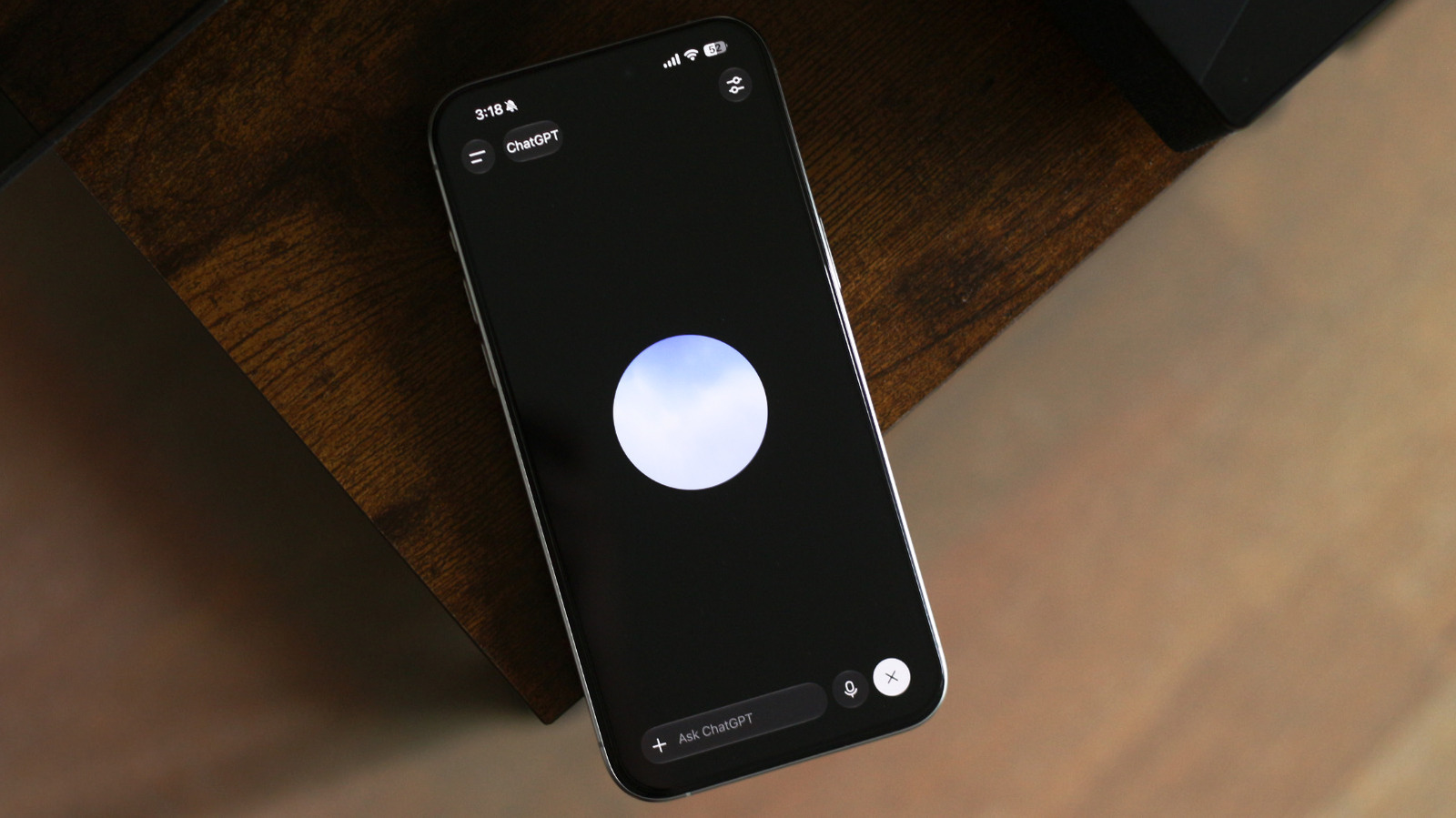
Once activated, a responsive floating orb will appear on the screen, indicating that the AI is ready to listen. Users can then begin speaking naturally.
Customization and Control
Users on paid plans have the flexibility to adjust the intelligence level of the voice model. By tapping the settings icon in the top-right corner, three distinct intelligence options are presented:
Instant: Prioritizes quick responses, suitable for most everyday questions.
Medium: Offers a balance between responsiveness and deeper processing.
High: Provides the most comprehensive reasoning, albeit with a slight increase in processing time.
It is important to note that this customization feature for intelligence levels is currently exclusive to paid plans and is not available on the **GPT-Live-1 mini model**. Despite the slight delay that might accompany Medium and High intelligence settings, the overall natural flow of conversation remains remarkably intact, as observed during extended interactions.
A notable convenience feature is that **ChatGPT Voice** remains active even if a user switches to another application or locks their device. This allows for continuous, background conversational flow, enhancing the user experience. While the overall upgrade is substantial, **GPT-Live** currently does not support screen or video sharing capabilities.
Users also have the option to revert to an older voice model if they prefer, or to customize other aspects of their voice interaction. This can be done by navigating to ChatGPT's settings, selecting 'Voice,' and then choosing a different model. Within these settings, users can also personalize ChatGPT's voice, change its language, or set **ChatGPT Voice** as the default mode upon launching the application, reflecting a user-centric approach to **consumer demand** for flexibility.
Enhanced Conversational Experience
The most impactful aspect of **GPT-Live** is the transformation of the conversational experience itself. Previous iterations often felt stilted, with awkward pauses or instances where the AI would interrupt. With **GPT-Live**, such interruptions are largely eliminated, and users are no longer required to wait for the AI to finish speaking before interjecting. This seamless back-and-forth fosters a much more organic dialogue.
During extended conversations, the **GPT-Live** model demonstrates an impressive ability to anticipate user input, further solidifying the perception of a natural interaction. Its responsiveness also positions it as a highly effective tool for practical applications, such as carrying out live translations in real-time.
For transparency and review, users can scroll down at any point during a **GPT-Live** conversation to reveal a complete transcript of everything that has been said. Furthermore, if ChatGPT determines that a question could be better addressed with a visual aid, it will generate an interactive widget alongside its spoken response, offering a multimodal information delivery.
The default 'Instant' intelligence level is designed to handle the majority of daily questions with remarkable ease, emphasizing rapid responses. Even in this mode, the system is engineered to offload more intensive searches and complex reasoning tasks to more capable models in the background, ensuring the conversation's fluidity remains unbroken. This sophisticated interplay of models demonstrates robust **enterprise integration** of various AI components working in harmony.
The **GPT-Live** model represents a significant leap in making AI voice interactions intuitive and highly engaging, catering to a growing **consumer demand** for seamless digital assistance. Its full-duplex architecture and intelligent task delegation set a new benchmark for conversational AI.
Decode Today News delivers breaking news on AI, tech, business, politics, and world events — updated daily.
breaking news, AI news, technology news, India news, world news, business news #decodetodaynews